
Did You Create Your Gmail Account When You Were 12?
Let’s be honest. Most of us did.
You probably picked something like coolboy_99@gmail.com or princess_sita_2005@gmail.com back in school. It felt fun at the time. Nobody thought that email address would follow you to job applications, client meetings, and business contracts.
Fast forward to today. That same address sits on your resume. It appears on your LinkedIn. It’s what you give to potential employers and paying clients.
And honestly? It doesn’t look great.
For years, you had only two terrible options. Either live with the embarrassment forever, or create a brand new Google account and lose years of emails, photos, files, and subscriptions. Neither choice felt good.
But here’s the good news. Google finally fixed this problem.
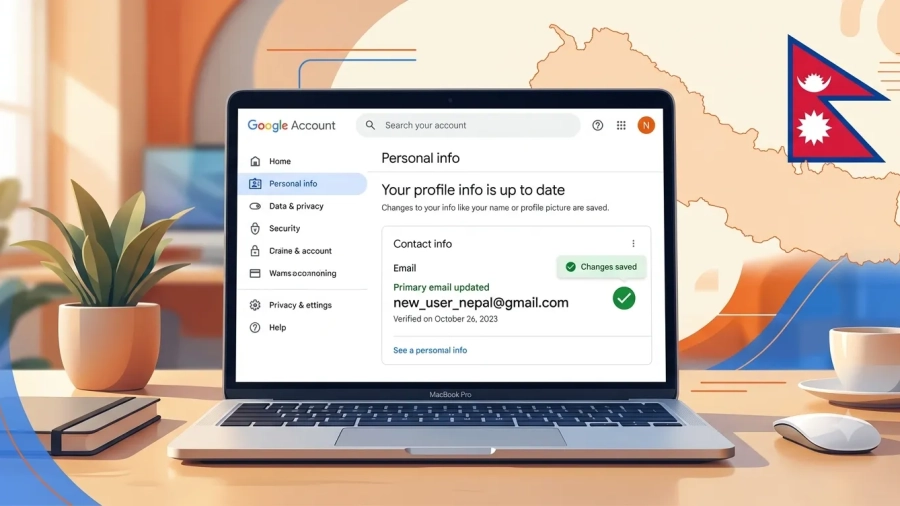
You can now change your Gmail address in Nepal without creating a new Google account. And no, you don’t lose anything. Your emails stay. Your Drive files stay. Your YouTube history stays. Everything stays exactly where it is.
Let me show you exactly how this works. Change Your Gmail Address in Nepal Without Creating a New Google Account
Why This Matters More Than You Think
Your Gmail address isn’t just for sending emails anymore. It’s your digital identity.
Think about everything connected to your Google account:
- Google Drive with years of documents
- Google Photos with thousands of memories
- YouTube with your subscriptions and watch history
- Android phone backups
- “Sign in with Google” on hundreds of websites
- Streaming services and app purchases
That’s why changing your Gmail address has never been easy.
Previously, if you wanted a more professional address, your only option was creating an entirely new Google account. That meant forwarding emails, moving contacts, updating login information everywhere, and managing two separate accounts.
Thankfully, that’s no longer necessary.
With this new feature, your new Gmail address becomes your primary email. Your old Gmail address stays linked to the same Google account as an alternate email. You keep your emails, photos, files, contacts, YouTube history, and everything else.
The feature was initially introduced for users in the US, but it is now available in Nepal as well. Change Your Gmail Address in Nepal Without Creating a New Google Account
How to Change Your Gmail Address in Nepal (Step-by-Step)
The process takes only a few minutes if your account supports the feature. Change Your Gmail Address in Nepal Without Creating a New Google Account

Step 1: Open Your Google Account Settings
Go to myaccount.google.com on your computer or mobile device. Sign in with your current Gmail account.
Step 2: Navigate to Personal Info
On the left sidebar, click or tap Personal info.
Step 3: Find the Email Section
Scroll down to the Contact Info section. Tap on Email, then select Google Account email.
Step 4: Look for the Change Option
If the feature is available for your account, you’ll see an option that says Change Google Account email or Change your Google Account email address.
If you don’t see this option, the feature hasn’t reached your account yet. Google is rolling it out gradually, so check back every few weeks.
Step 5: Choose Your New Gmail Address
Enter your desired new username. Google will check if it’s available. Make sure:
Step 6: Confirm the Change
Click Change email and confirm. Google may ask you to verify your identity. Follow the on-screen steps to complete the process.
That’s it. Your new Gmail address is now your primary Google Account email.
What Actually Happens When You Change Your Gmail Address?
Let’s break down exactly what changes and what stays the same. Change Your Gmail Address in Nepal Without Creating a New Google Account
What Stays the Same:
- Your complete email history and inbox
- All Google Drive files and folders
- Google Photos and backup data
- Purchase history and subscriptions
- YouTube account and watch history
- Google Calendar events and reminders
- Android device backups
- Third-party app connections
What Changes:
- Your primary Gmail address
- How your name appears in sent emails
- The address shown on your Google Account
What Happens to Your Old Email Address?
Here’s the best part. Your old Gmail address doesn’t disappear. Change Your Gmail Address in Nepal Without Creating a New Google Account

It becomes an alternate email address (alias) connected to the same Google account. This means:
- Emails sent to your old address still arrive
- Nobody else can claim your old Gmail address
- You can still sign in using your old email
- You may even be able to send emails using your old address
Both email addresses will deliver mail to the same inbox. You can continue using your old address alongside your new one.
The Rules You Need to Know
Change Your Gmail Address in Nepal Without Creating a New Google Account: Google isn’t letting people change their Gmail address every week. They’ve put some strict limits in place.

Rule 1: Once Every 12 Months
After you change your Gmail address, you cannot change it again for 12 months. During this period, you also cannot delete your new email address.
Rule 2: Three Changes Maximum Per Account
You can only change your Gmail address three times total per Google account. That means you can have up to four different Gmail addresses tied to one account over its lifetime.
Rule 3: Only @gmail.com Addresses
This feature only works if your current Google Account email ends in @gmail.com. Your new address must also end the same way. You cannot switch to an Outlook email or custom domain using this feature.
Rule 4: You Can Revert Anytime
You can change back to your previous email address at any time. But remember, you still can’t create a new address for 12 months after your last change.
Why Google Made This Change
Gmail launched in 2004 with invite-only access. Many early users grabbed whatever username they could get. Change Your Gmail Address in Nepal Without Creating a New Google Account
Twenty years later, those addresses often feel outdated or unprofessional. Names chosen as teenagers now appear on job applications, business correspondence, and legal documents.
Until now, the only solution was creating a second account and manually transferring data. That process disrupted connections with third-party apps and required rebuilding years of digital history. Many users simply lived with embarrassing email addresses rather than face the hassle of switching.
With nearly two billion active Gmail accounts worldwide, this update affects a massive user base. It helps people move past addresses tied to old jobs, relationships, or life stages without abandoning their digital footprint.
What Nepalese Users Should Know
Change Your Gmail Address in Nepal Without Creating a New Google Account, If you’re in Nepal and want to change your Gmail address, here’s what you need to keep in mind.
The feature is available in Nepal. The rollout started in the US, but it has expanded to other regions including Nepal. If you don’t see the option yet, wait a few weeks and check again.
Your old address stays yours. Nobody else can claim your old Gmail address after you change it. This is a huge relief because it means you don’t lose access to anything connected to your old email.
Choose wisely. Since you can only change your address once every 12 months and only three times total, pick a username you’ll be happy with for a long time.
Common Questions About Changing Your Gmail Address in Nepal
Change Your Gmail Address in Nepal Without Creating a New Google Account
Can I change my Gmail address on my phone?
Yes. The process works on both desktop and mobile devices. On your phone, open Gmail, tap your profile picture, select “Manage your Google Account,” go to “Personal info,” and find the Email section. Change Your Gmail Address in Nepal Without Creating a New Google Account
Will I lose my emails if I change my Gmail address?
Can I go back to my old Gmail address?
What if I don’t see the “Change” option?
A Few Things to Watch Out For
Changing your Gmail address is mostly smooth, but there are a few minor issues you might encounter.
Some Google app settings may reset. For example, your Gmail background selection or chat tab might disappear. This is normal and you can adjust these settings again after the change.
You might get logged out of some apps. Some users have reported being logged out of Google apps after changing their address. Just sign back in with your new email.
Chromebook users need to be careful. Google warns that you could lose access to local files if you don’t back them up first. You’ll need to completely remove your Google account from the device and add it back with the new email.
Update your important services. After changing your address, inform key contacts, update your email signature, change the email on banking and financial accounts, and update subscription services.
Final Thoughts
I honestly think this is one of Gmail’s most useful updates in years.
A lot of us created our Gmail accounts over a decade ago without realizing they’d become our digital identity. Being able to move to a cleaner, more professional email address without losing years of emails, photos, files, and account history is a huge improvement.
The best part is that your old Gmail address doesn’t disappear. It stays connected to your account, continues receiving emails, and nobody else can claim it.
If the feature is already available on your account, I’d recommend taking a few minutes to make the change. Pick a username that represents you well professionally. It’s one of those small changes that can make a surprisingly big difference in how people perceive you online.
And if the option isn’t there yet? Just wait. It’s coming.

Great content! Keep up the good work!
ya,im here